
Motorcycle CarPlay Display Compatibility: A Fitment Guide for Importers
Qualify motorcycle CarPlay display compatibility by mount, power, phone projection, helmet audio and operating conditions before approving a regional SKU.
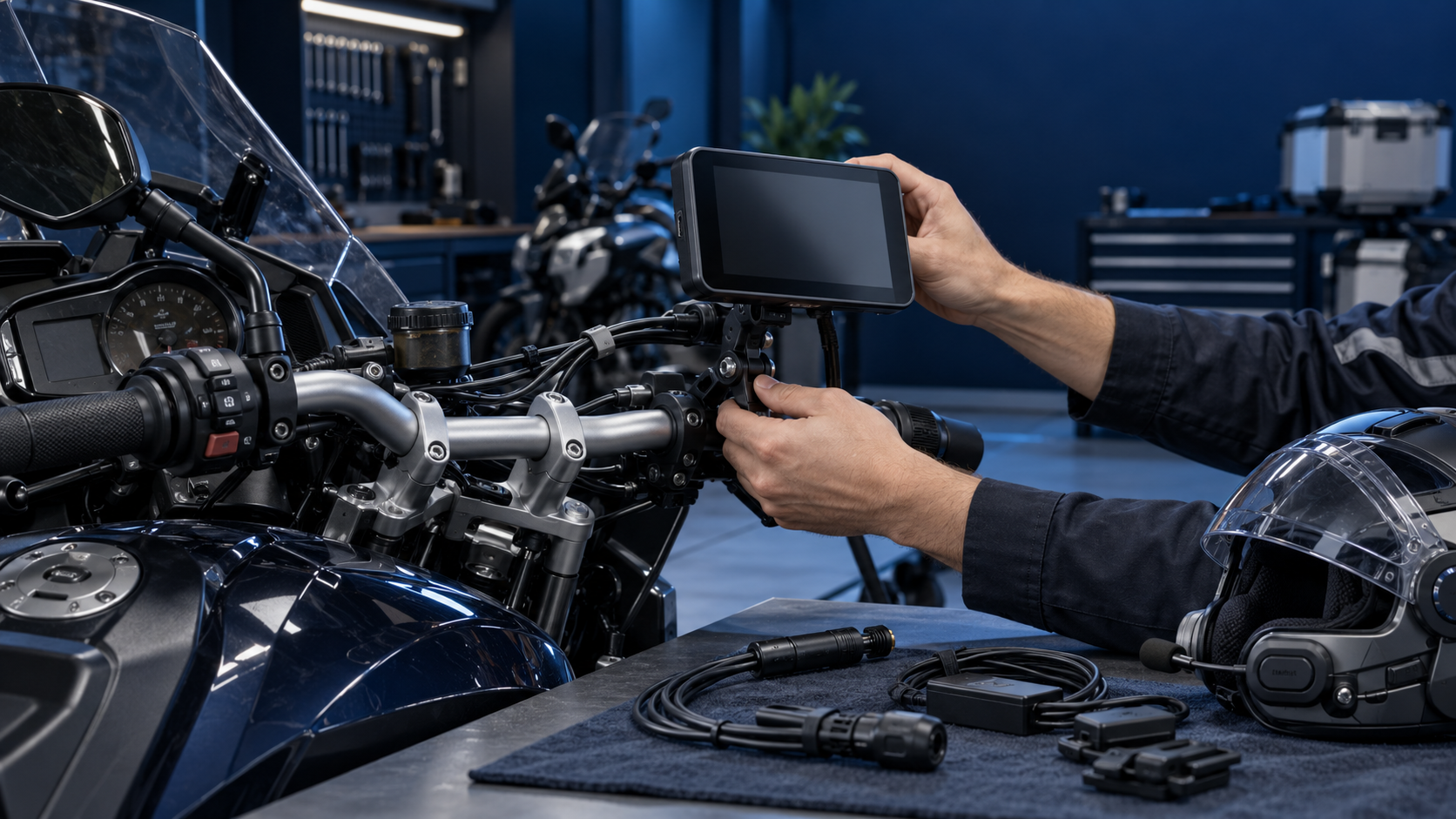
Direct answer: a motorcycle CarPlay display is compatible only when the complete combination works for the intended rider and installation: the motorcycle’s mounting space and power route, the display’s supported phone-projection mode, the phone and software, and the intended helmet-audio path. Importers should qualify those layers by exact model and documented configuration, not by a broad “fits motorcycles” or “supports CarPlay” label. Start with the rider job, record the bike and phone cohort, verify controls and wiring clearance while parked, then confirm pairing and audio behavior with the chosen headset. A successful sample establishes only the configuration actually reviewed; it does not make the product universal across motorcycles, phones, trims, mounts or markets.
Treat the category label as a starting point
“Motorcycle CarPlay display” is a market label, not a fitment specification. It may describe an aftermarket screen that receives a phone projection session, but products differ in display architecture, supported projection protocol, power input, mount parts, audio routing, firmware, and optional camera or control accessories. A phone mount and a motorcycle-specific navigation computer are different product routes again.
Apple describes CarPlay as an iPhone experience presented on a car’s built-in display. That does not determine how a third-party motorcycle product implements projection or what motorcycles it fits. For an aftermarket product, ask the supplier to identify the exact projection mode, supported phone and software scope, and system diagram. Do not infer motorcycle fitment from a CarPlay badge, a USB connector, or a successful connection to one phone.
This guide is a buyer-side qualification method, not a certification or a promise that any particular model works. Laws, vehicle electrical designs, cockpit layouts and accessories differ by market and motorcycle. Confirm the applicable vehicle-maker instructions and local requirements before sale or installation.
Six compatibility layers to qualify
1. Rider job and display architecture
First define who will use the device and what task it is meant to support: turn-by-turn navigation, audio control, touring route visibility, or a connected-display upgrade. Then identify the architecture. Does the screen receive Apple CarPlay, Android Auto, a vendor-specific mirroring function, or more than one mode? Is the phone expected to connect by cable, Bluetooth, Wi-Fi, or a combination? Does the display require a separate app, hotspot, account, or ongoing data connection for any advertised function?
These details change the customer’s setup and service experience. Request a system block diagram or a written connection sequence for the precise SKU. A product that connects to a compatible phone is not necessarily compatible with a particular motorcycle’s electrical supply or mounting space.
2. Physical mount and cockpit clearance
Fitment begins with the motorcycle, not just a handlebar clamp. Collect make, model, model year, trim or cockpit version, and any navigation preparation or accessory bar. Record the supplied clamp range and bracket parts, but also check the complete installed envelope: display angle, fastener access, cable bend radius, steering movement, instrument visibility, control reach, and clearance at full steering lock.
Do this with the motorcycle stationary and in the installation state specified by its manufacturer. Consider windscreen movement, handguards, tank bags, phone chargers and other accessories that may change between trims or owner setups. If installation requires a custom bracket or wiring change, label it as a distinct configuration and define who approves and supports it.
3. Power input and shutdown behavior
Connector shape is not an electrical compatibility claim. Ask for the display’s permitted input range, polarity and connector pinout, current requirements, protection and fuse guidance, and any ignition-switched or always-on behavior. Confirm whether the package includes an adapter or harness and whether the supplier permits connection to the motorcycle’s accessory circuit. Do not publish voltage or battery-drain claims unless the exact product instructions and evidence support them.
Record what happens when the ignition turns on and off, during a brief stop, and after a low-voltage or interrupted-power event. Confirm whether the display shuts down, sleeps, or remains active, and whether the next start requires user action. BMW Motorrad’s ConnectedRide Navigator instructions illustrate why these questions are product-specific: the manual describes a dedicated navigation preparation, separate device installation steps, and a recommendation to remove and stow the unit after a ride. That is an example of an OEM system, not a requirement for every aftermarket screen.
4. Phone, operating system and projection session
Ask the supplier for the supported phone families and operating-system scope, the required wired or wireless path, setup permissions, and the known exclusions. Record the actual test phone model and software version in a sample review. Also capture the pairing order, reconnect behavior after the phone leaves range, behavior after a phone update, and the reset path when a previous owner or installer paired another device.
Keep claims precise. “Connected during a sample check” is narrower than “compatible with all iPhones” or “works with every motorcycle.” A defensible compatibility record ties a result to a display SKU and firmware, phone and software, connection method, and the specific functions checked.
5. Helmet audio and control path
Audio is a frequent source of confusing support cases because the display may change the normal phone-to-headset route. Draw the path for navigation prompts, music, calls, microphone pickup, and voice-assistant activation. Determine whether the phone pairs directly with the helmet headset, whether the display acts as an intermediary, and which device controls volume or call priority. The exact arrangement varies by product.
BMW’s ConnectedRide Navigator manual, for example, treats the phone, rider or passenger helmet, and accessories as separate Bluetooth connection roles, and notes software requirements for supported communication systems. Use that as a reminder to test the complete chain—not as evidence that a third-party display uses the same topology. Test first-time pairing, a restart, a phone reconnection, and a second headset if that is within the intended channel promise.
6. Operating conditions and rider interaction
Motorcycle use can expose a screen, mount, connectors and cable exits to sunlight, rain, dust, temperature changes and vibration. Buyers should request the supplier’s stated operating conditions and the evidence scope for the exact configuration. Check the screen in the expected riding position and lighting; verify operation with the intended gloves if touch input is part of the claim; and review the supplied cleaning and storage instructions.
Apple specifically warns that prolonged high-amplitude vibration from some motorcycle engines can affect iPhone camera stabilization and autofocus systems, and recommends vibration damping for some lower-amplitude vehicle use. This is guidance about the phone camera systems—not proof that every phone mount fails, or a qualification requirement for a separate display. Garmin’s motorcycle-navigation products market features such as glove-friendly controls and sunlight readability, illustrating useful rider-interface questions; those product specifications do not transfer to another manufacturer’s device.
Use a compatibility matrix, not a universal badge
An importer can use the worksheet below to define the evidence behind each regional SKU. Leave unknown cells marked “unverified” rather than filling them with assumptions.
| Fitment field | Record before sample review | Evidence or decision |
|---|---|---|
| Rider job and market | Touring, commuting or another stated use; target country | Intended use and local-market review owner |
| Motorcycle cohort | Make, model, year, trim, cockpit and accessories | Representative vehicle or documented dimensions |
| Mount system | Supplied bracket, clamp interface, fasteners and adjustment range | Installation instructions and stationary clearance review |
| Control clearance | Steering lock, instruments, switches and rider sightline | Photos or signed installation record for the reviewed bike |
| Power route | Input requirements, harness, fuse guidance and ignition behavior | Supplier instructions and exact motorcycle power check |
| Display identity | SKU, hardware revision and firmware | Label or controlled configuration record |
| Phone/projection | Phone model, OS, connection mode and required app | Pairing, reconnect and reset observations |
| Helmet audio | Headset model, pairing roles, call/mic and prompt route | Complete audio-path check |
| Exposure scope | Sunlight, gloves, environmental conditions and storage | Product instructions and bounded supplier evidence |
| Disposition | Approved, conditional, not approved or unverified | Owner, exclusions, date and change trigger |
This record helps sales teams answer “will it fit?” with the conditions that matter. It also helps technical support distinguish a mount, power, projection or audio issue instead of treating every symptom as a generic connection failure.
A practical importer workflow
- Segment demand. Choose a defined motorcycle cohort and rider job rather than asking a supplier for a universal compatibility list.
- Freeze the proposed kit. List display, bracket, fasteners, power lead, adapters, headset assumptions, instructions and optional accessories.
- Review the installation while parked. Check physical envelope, cable routing, controls and power approach against manufacturer guidance. Route any modification to a qualified installer.
- Test the connection chain. Use documented phone/software and headset combinations. Verify initial setup, reconnection, calls, navigation prompts, microphone behavior, restart and reset.
- Set a bounded decision. Approve only the recorded SKU and cohort, or identify missing evidence and keep the offer on hold. Define who owns updates when firmware, hardware, mount parts or instructions change.
For example, an importer considering one display kit for touring dealers might begin with two motorcycle cockpit groups and a short list of customer phones and headsets. The point is not to claim that those groups represent the entire market; it is to discover whether the kit’s mount, power and audio assumptions are clear enough to support. If a second bracket or a different headset route is needed, treat it as a separate configuration with its own instructions and support notes.
Translate the result into channel claims
Give distributors a short fitment card with: the compatible projection mode; the verified motorcycle cohort; the exact kit and mount; power prerequisites; tested phone/software examples; headset/audio limitations; installation exclusions; and the support contact. Use “verified for the listed configuration” where supported. Avoid “universal fit,” “all motorcycles,” or “plug and play” unless those claims have a defined, sufficiently broad evidence base and have been reviewed for the target market.
Change control matters. A new bracket, cable, power converter, display firmware, phone app, or pairing behavior may alter the approved scope. Assign an owner to review the fitment card, packaging, installation guide and reseller training when a material configuration changes. Keep the customer-facing statement aligned with the evidence; do not rely on old sample results after the product baseline changes.
FAQ
Does “motorcycle CarPlay” mean every bike supports the display?
No. The label does not specify mounting, power, projection, phone, software or helmet-audio compatibility. Confirm the exact product and motorcycle configuration.
Can I use an ordinary car wireless CarPlay adapter on a motorcycle?
Do not assume so. A car adapter may expect a compatible factory head unit and USB data port, while a motorcycle display has a separate display, power and mounting architecture. Check the product’s documented system diagram.
Will a motorcycle display work with any helmet Bluetooth headset?
Not necessarily. Compatibility depends on pairing roles, supported Bluetooth profiles, phone/display routing and firmware. Test calls, prompts, media and microphone behavior with the exact headset.
Does a successful sample prove a whole motorcycle model range?
No. It supports only the recorded trim, cockpit, power route, accessories, phone and software configuration unless additional evidence extends the scope.
Should buyers attach a phone to the handlebar instead?
That is a separate product decision. Apple warns that prolonged high-amplitude motorcycle vibration can affect some iPhone camera systems; compare phone exposure and mount guidance with the dedicated-display setup.
Related product and buyer resources
- Explore TrolinkTek products and motorcycle/connected-drive solutions.
- Discuss OEM/ODM options or request a compatibility review.
- Motorcycle CarPlay Display vs Phone Mount: A Distributor Comparison
- Motorcycle CarPlay Display Vibration Testing: What Buyers Should Ask For