
CarPlay AI Box Distributor Training: A Sales Enablement Plan for Importers
Help reseller partners qualify vehicle fitment, demonstrate the approved product, use accurate claims, route technical questions and keep channel materials current.
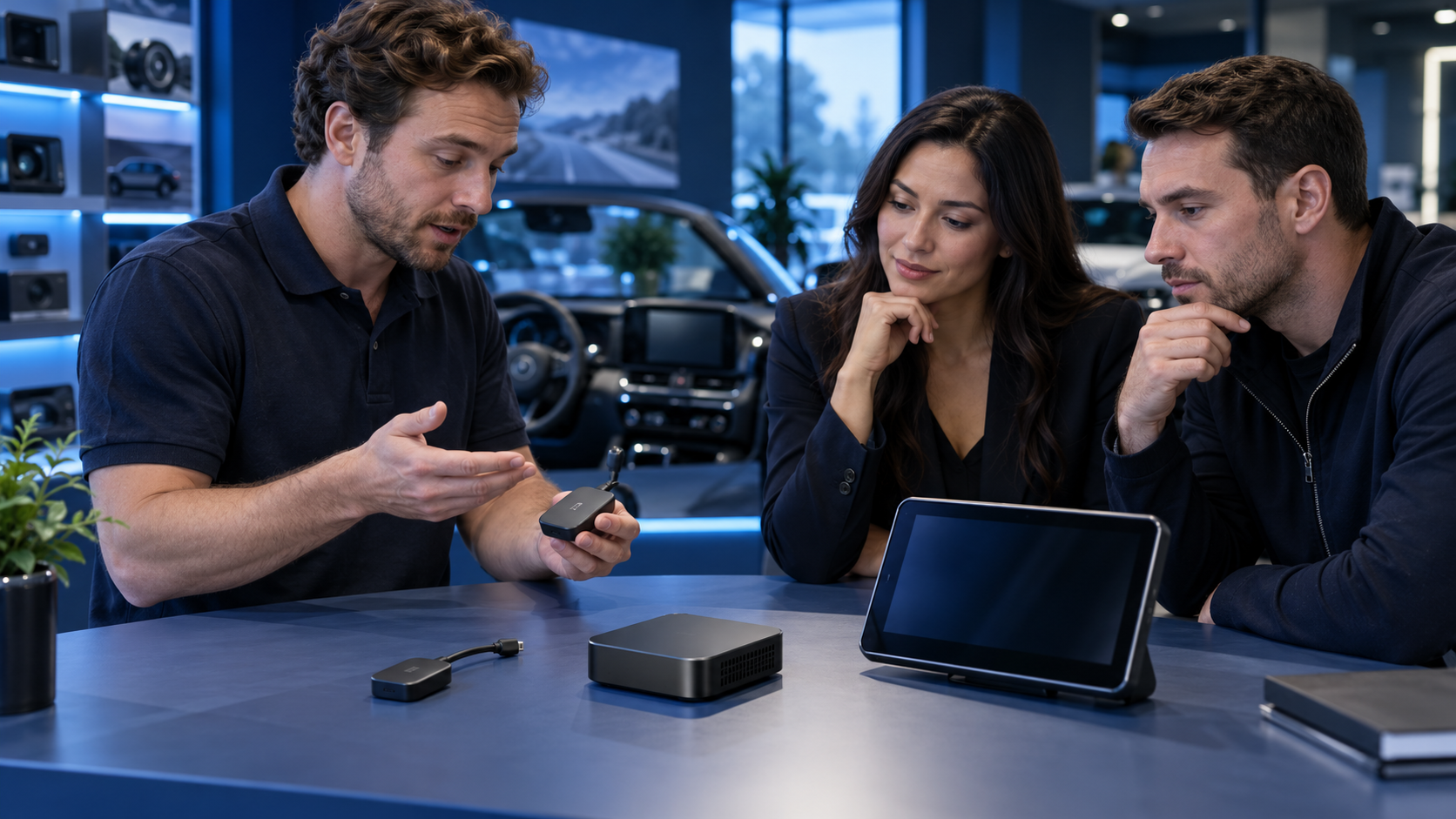
Direct answer: Importers should train CarPlay AI Box distributors to qualify the vehicle and customer use case before presenting features. A practical enablement program gives resellers a short product-fit conversation, a model-specific demo, approved claims and limitations, a clear escalation path, and current sales materials. Train sales and installation/support roles separately, then reinforce the content when the product, firmware, packaging or approved claims change. The aim is not to make every reseller an engineer; it is to help each partner recommend the right product, set accurate expectations and pass unresolved questions to the right owner.
This is different from product selection: a reseller can stock a suitable model yet lose confidence if staff cannot explain prerequisites, demonstrate it or route technical questions.
What distributor enablement should accomplish
Partner enablement is the training, tools and support that help external sellers represent a supplier’s offer. Salesforce highlights product knowledge, collateral, lead processes and ongoing measurement; Cisco describes matching training format to learner needs. These are program-design principles, not automotive product claims. Importers must add product-specific fitment boundaries and technical escalation.
The commercial outcome is a repeatable customer conversation:
- Identify the driver’s goal and vehicle.
- Check the selected model’s prerequisite.
- Explain the documented scope and limitation.
- Demonstrate an identified sample; route unknowns instead of guessing.
An AI Box is not interchangeable with a basic wireless adapter or a portable display. Architecture, supported functions, app environment, vehicle prerequisites and update methods vary by model. Training must therefore point to the selected SKU’s current specification and approved evidence rather than a generic category promise.
Segment partners by the job they perform
A listing team, salesperson, installer and support contact need a shared baseline plus role-specific decisions.
| Partner role | Must be able to do | Should escalate |
|---|---|---|
| Retail or marketplace sales | Ask the fitment questions, explain the product category, use approved claims and record a customer’s unresolved requirement | Unlisted vehicle/head-unit combinations, unclear wired CarPlay prerequisites, requests for unsupported features |
| Installer or demonstration staff | Follow the model-specific setup, use the approved demo configuration, explain power/audio/control boundaries and return the unit to a clean state | Vehicle-specific integration changes, abnormal behavior, firmware or recovery questions outside the work instruction |
| Partner support or returns staff | Capture model, hardware/software identifiers where available, customer symptom and steps already attempted; follow the agreed privacy-safe process | Suspected product defects, security concerns, repeat failures, data exposure or any case requiring engineering judgment |
| Distributor product manager | Maintain the SKU master, current claims, manuals, training version, sample status and change notices | Conflicting supplier documents, unapproved revisions, market-specific questions requiring legal or compliance review |
Do not ask a salesperson to diagnose a vehicle network issue or have an installer make an unapproved firmware change. Good enablement makes the boundary clear and tells the person what to do next.
Build a short, model-specific learning path
Start with the smallest content set needed for a correct recommendation and supported handoff. Link each material to a canonical model and revision.
1. Product role and fitment gate
Teach partners to ask what factory screen and phone-projection system the customer uses, whether the original wired function works, which vehicle/year/market/head unit is involved, and what outcome they expect. These answers do not prove compatibility; they identify whether the model’s prerequisite appears to fit or needs review.
The rule is simple: if a prerequisite is unknown, pause the recommendation. Use the current compatibility resource or request a review. Never convert “the connector fits” into a compatibility claim.
2. A feature-to-benefit explanation
Pair each advertised feature with a customer explanation and evidence boundary. Describe an application platform using that model’s supported software scope and setup requirements; a brochure feature does not establish that every app, service, phone, region or vehicle works.
Maintain two columns in the partner sheet: “approved wording” and “do not claim.” The second column should name common overstatements, such as universal fitment, guaranteed performance, access to every streaming service, or a function that belongs to a phone, vehicle or third-party provider rather than the device.
3. A repeatable demo
Tie the demo script to an identified sample build. Cover its model, demonstration host, setup, expected journey, normal reset/recovery and the demo’s limits. A demo proves only the documented setup—not every vehicle configuration.
If a live vehicle demo is impractical, use a clearly labeled video or static walkthrough. State which model and software version it depicts and review it when the interface or instructions change. Avoid screen recordings that expose account credentials, personal messages or customer data.
4. Objection handling and escalation
Give staff concise responses to recurring questions: “Will this work in my car?”, “Can I install any app?”, “Will it replace my factory system?”, and “What happens if it disconnects?” The approved answer should explain what information is needed, the product’s documented scope, and where to get a model-specific answer. It should not improvise a yes/no when evidence is missing.
Set one sales escalation route and one technical/after-sales route. Define the information to include—commercial model, vehicle/head-unit details, phone and software context when relevant, symptom, reproducible steps and evidence approved by the support policy. Do not ask partners to collect passwords, unrelated phone content or personal data that is not needed to triage the case.
Provide a field-ready partner kit
Make the kit easy to locate, versioned and mobile-friendly. A controlled folder is sufficient for a small network if outdated documents can be identified and retired.
| Asset | Partner use | Owner and refresh trigger |
|---|---|---|
| One-page product-fit card | Pre-sale qualification and category distinction | Product manager; refresh when prerequisites or SKU scope changes |
| Approved claims sheet | Product page, sales pitch and objection handling | Marketing with product approval; refresh after claim or evidence review |
| Model-specific demo guide | Show the approved customer journey | Training/technical owner; refresh after interface, sample or firmware change |
| Quick-start and reset material | Supported setup and first-line help | Documentation owner; align to shipped revision |
| Escalation form | Consistent product and symptom context | After-sales owner; update fields when triage process changes |
| Change bulletin | Tell partners what changed, when it applies and which material to replace | Program owner; issue for approved changes affecting sales, installation or support |
| Sales conversation worksheet | Record buyer need, fitment facts, open question, next owner and outcome | Channel manager; review with partner feedback |
Include the controlled version and effective date on each asset. If a partner prints a guide, give them a way to check whether it remains current. The importer should be able to answer: which model is covered, which release or configuration the material assumes, who approved it, and where the partner can find the latest copy.
Use a practical conversation worksheet
Use this worksheet in role-play or real inquiries to surface unsupported assumptions.
| Conversation stage | Ask or demonstrate | Record before moving on |
|---|---|---|
| Need | What does the driver want to change or add? | Desired outcome in the customer’s words |
| Vehicle | What vehicle, year, market and head unit are involved? Does the relevant factory wired function work now? | Known facts, unknowns and compatibility-review need |
| Product role | Is the requested outcome within this model’s documented role? | Candidate SKU and its prerequisite |
| Expectation | Which apps, controls, audio path or installation details matter? | Approved answer, limitation or question for escalation |
| Demonstration | Which identified sample and setup will be shown? | Demo configuration and steps completed |
| Handoff | Who owns the next answer or support action? | Named partner/supplier owner and follow-up record |
“Not yet qualified” is a valid outcome. If the vehicle lacks the required interface, discuss another category only after its own prerequisites are understood.
Measure enablement with operating evidence
Measure whether partners can perform the intended job, not just attendance or files distributed. A distributor may review:
- completion of role-specific product and fitment training;
- quality of answers in sample customer scenarios;
- percentage of inquiries with the necessary vehicle and use-case information;
- questions repeatedly escalated because a document is unclear;
- listing or sales claims that needed correction;
- first-line support cases routed with enough model and symptom context;
- recurring reasons for customer confusion, return requests or installation rework;
- partner feedback on missing content or inaccessible current documents.
Establish a baseline from the importer’s own channel and compare it over an agreed review period. Do not impose a universal pass score or claim that training alone will reduce returns; product selection, fulfillment, vehicle mix, instructions and service capacity also affect outcomes. Use the evidence to decide whether to revise a lesson, clarify a claim, improve the fitment tool, change the product range or retrain a specific role.
Plan updates as part of product change control
Training becomes a risk when it survives longer than the product facts it teaches. Before a new SKU, software release, packaging revision or market launch, identify which partner materials are affected. The approved change notice should state the affected model or lot where applicable, what changes for the partner, which files replace older versions, effective timing and where questions go.
Keep a record of who received the change and what action is expected. A new feature may require revised positioning; a changed setup sequence may require a new demo; a limitation or support-period change may require updated listing copy and service scripts. If a change does not affect partner behavior, document that conclusion rather than sending noise to every reseller.
For private-label programs, tie the partner kit to the brand’s approved SKU data, packaging, manual, warranty route and support owner. The existing private-label launch-readiness guide covers release alignment, while the connected-car product-mix guide helps define the role each category should play. For sourcing and technical scope, also see the CarPlay AI Box importer guide.
Boundaries and common mistakes
Training cannot extend compatibility evidence, certify an installer, replace vehicle-maker guidance or guarantee sales. The distributor owns its channel terms and customer commitments; the parties should agree who approves claims and customer communications.
Common program failures include training on an engineering sample with no link to the sellable build, teaching only features without fitment prerequisites, mixing sales and technical diagnostics into one overloaded course, allowing old PDFs to circulate without version status, and treating a badge as proof of installation competency. A practical program checks what partners can do, gives them the right material at the point of need and revisits the content when the product or process changes.
FAQ
What should a CarPlay AI Box distributor learn first?
Start with the model’s product role, vehicle prerequisites, fitment questions, approved claims and escalation path. Then teach the role-specific demo or support procedure for the partner’s job.
Should sales staff receive the same training as installers?
They need a shared product and fitment baseline, but their tasks differ. Sales staff should qualify and position accurately; installers need the model-specific setup, safety boundaries and service escalation instructions.
Does distributor training make an AI Box compatible with more vehicles?
No. Training helps partners qualify and communicate the documented scope. It cannot change hardware prerequisites or extend evidence to untested vehicle configurations.
How often should partner materials be reviewed?
Review materials when a product, software, packaging, claim, support route or market requirement changes, and use a planned cadence appropriate to the channel. Every file should show its owner and current version or effective date.
What is a useful first metric for a small distributor network?
Check whether partners can collect the facts needed to recommend or escalate a product-specific inquiry. Combine this with partner feedback and observed claim corrections; choose measures that correspond to the behavior the training is intended to improve.
Equip partners for an accurate first conversation
Build the plan around actual partner roles, models and customer journeys. Review TrolinkTek’s product range, distributor solutions and downloads. For branded programs, discuss OEM/ODM or request a channel enablement review with target markets, partner types, models and support expectations.